Theme Settings
The Theme Settings page allows you to completely transform the visual appearance of your e-commerce storefront. From here, you can choose between different operational themes, effectively changing the "skin" of your website to better match your brand identity and customer preferences.
Choosing the right theme is crucial for user engagement. A modern, minimal theme might suit fashion brands, while a classic layout might be better for general merchandise.
Themes Overview
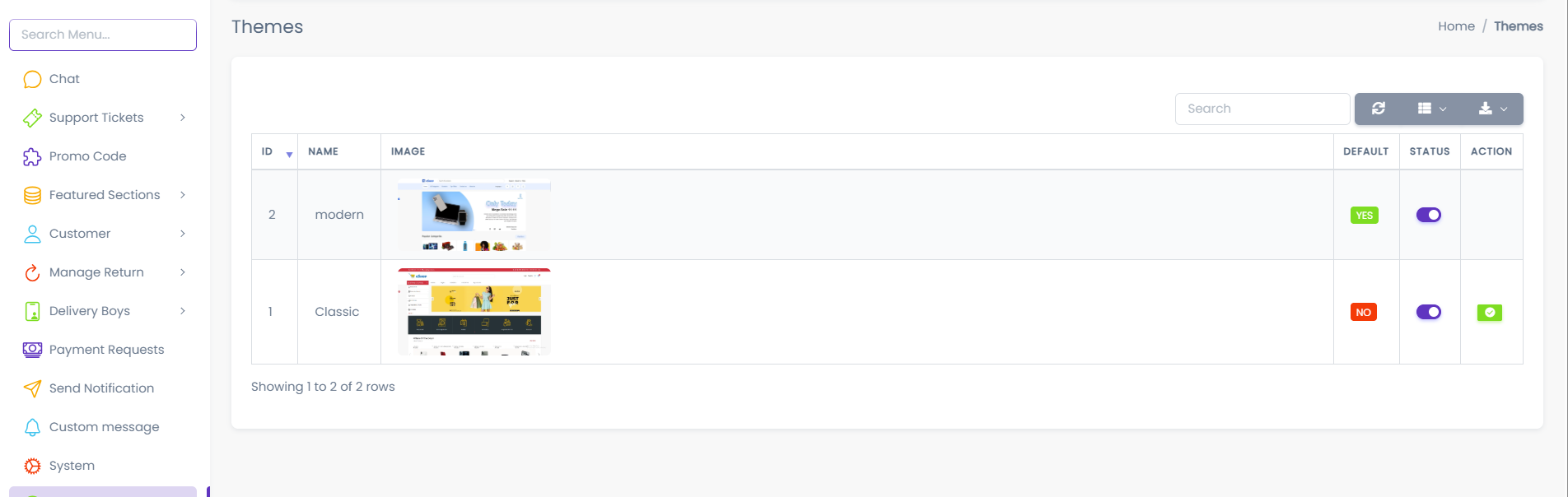
The dashboard presents a gallery of all available themes. Each entry allows you to preview, enable, or set a specific design as the active interface for your customers.
Available Themes
You must select and configure your frontend web theme from this section. The platform currently supports the following primary designs:
1. Modern Theme
- Design Philosophy: A clean, spacious, and contemporary interface.
- Best Use Case: Ideal for lifestyle brands, fashion, or any store aiming for a premium, minimal aesthetic.
- Key Features: Focus on large imagery, simplified navigation, and a fresh look.
2. Classic Theme
- Design Philosophy: A traditional, information-dense e-commerce layout.
- Best Use Case: Suitable for electronics, groceries, or stores with large inventories requiring standard navigation patterns.
- Key Features: Familiar layout for users, dense information display, and robust categorization.
Managing Themes
You can control which theme is visible to your customers using the following actions:
- Enable / Disable: Toggle a theme's availability. This is useful for testing new themes in a staging environment before going live.
- Set as Default: This is the most critical action. clicking "Set as Default" will immediately apply that theme to your live website.
- Search: Use the search bar to quickly find specific themes if your library grows.
Changing the Default Theme updates your live website immediately. Ensure you have previewed the theme layout before making it the default active theme.
Theme Behavior
Understanding how the system handles themes is important for site stability:
- Single Active Theme: Only one theme can be "Default" at any given time.
- Immediate Reflection: Changes made here propagate instantly to the frontend.
- Configuration Persistence: Each theme maintains its own associated settings (colors, layouts) which can be further customized in the General Settings page.