Manage Income
To record non-fee operational revenue, navigate to Institutional Finance → Manage Income.
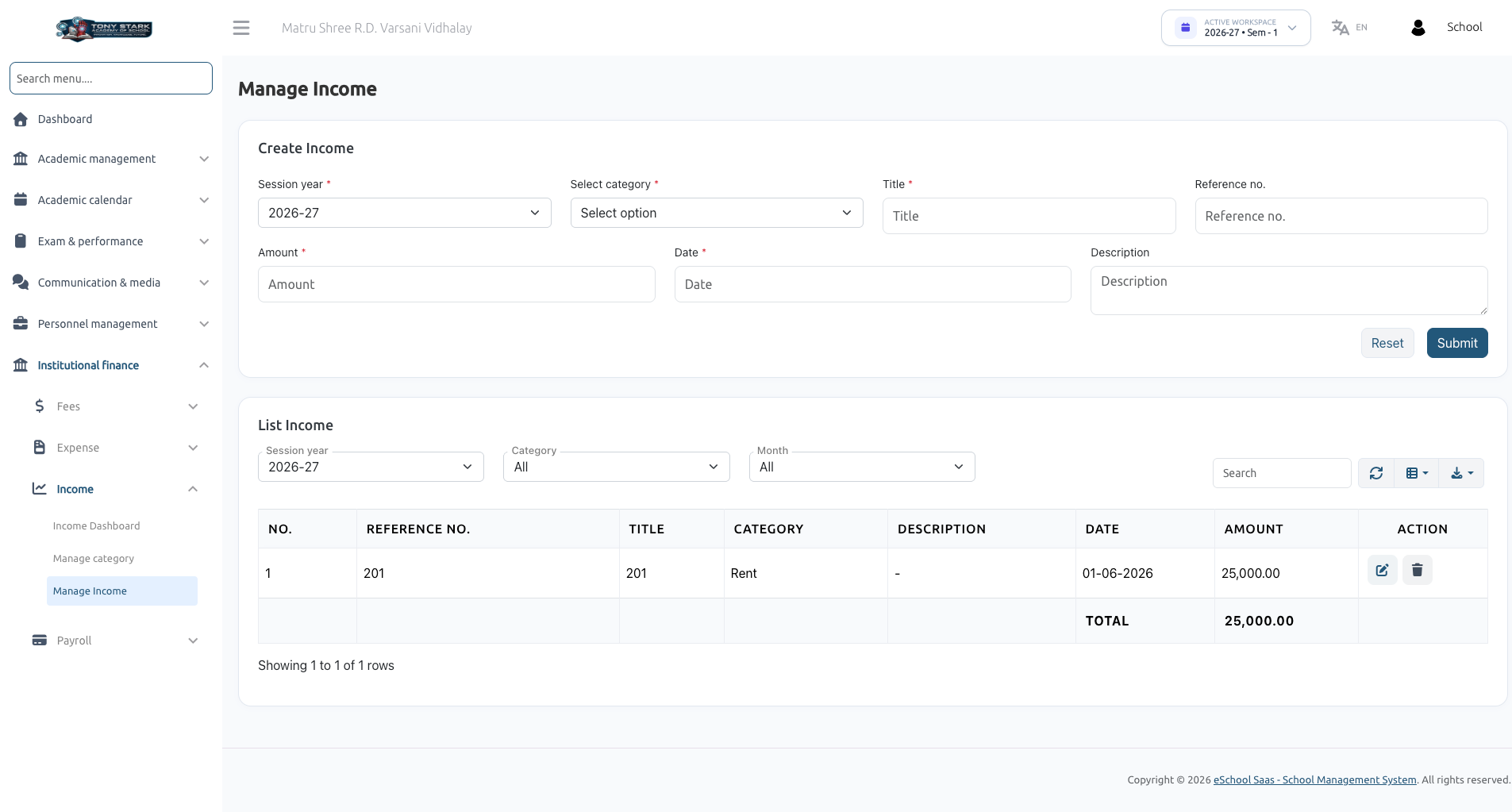
Overview
The Manage Income section enables school administrators to record, view, and manage all manual non-fee income entries (such as rental income, donations, event sales, and cafeteria lease payments).
How to Record a New Income Entry
In the Create Income form, fill out the following fields:
- Session Year (Required): Select the relevant academic session year (e.g., 2026-27).
- Select Category (Required): Choose from pre-configured income categories (e.g., Rent).
- Title (Required): Short title or receipt name (e.g., Quarterly Hall Rent).
- Reference No.: External invoice, receipt, or bank transfer reference number.
- Amount (Required): Numerical income value (e.g., 25,000.00).
- Date (Required): Transaction date.
- Description: Detailed notes regarding the payment.
Click Submit to record the transaction.
Managing & Filtering Income Records
The List Income table allows administrators to view and manage recorded transactions:
- Filter By Session Year: View income for a specific academic year.
- Filter By Category: View income for specific revenue heads (e.g., Rent or Donations).
- Filter By Month: Analyze income for specific months (e.g., June).
- Search Box: Search across reference numbers, titles, and descriptions.
- Total Calculation Row: Displays the calculated sum of filtered amounts at the bottom of the table.
- Action Column: Edit or Delete manual income entries.