Manage Income Category
Before recording manual non-fee income, administrators can define custom income categories under Institutional Finance → Manage Income Category.
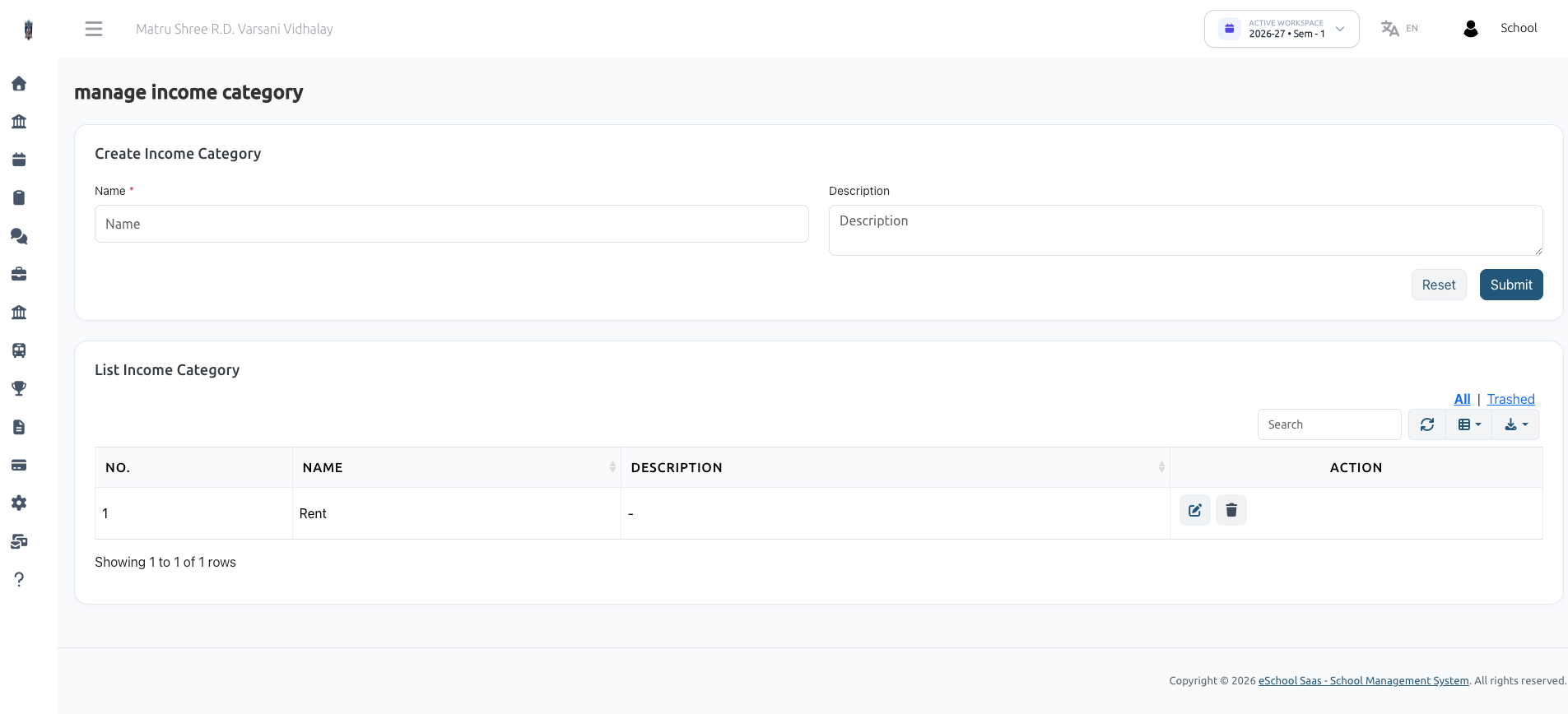
Overview
Custom income categories allow school administrators to classify non-fee revenue streams for accurate accounting and financial reporting (e.g., Property Rent, Grants, Donations, Canteen Lease, Event Ticket Sales, Uniform Sales).
How to Create an Income Category
- Navigate to Manage Income Category.
- Fill out the Create Income Category form:
- Name (Required): Name of the income head (e.g., Building Rent, Sponsorships, Cafeteria Lease, Book Sales).
- Description: Brief explanation of the category.
- Click Submit.
Category Table Actions
- Search & Filter: Quickly find category names.
- Edit (Pencil Icon): Modify category name or description.
- Delete (Trash Icon): Move unused categories to Trash.
- All / Trashed Filter: View active or soft-deleted categories with the option to restore.