Course Management
This section includes global course-related one-time detail management options, as well as admin course creation and course request review functionality.
Categories
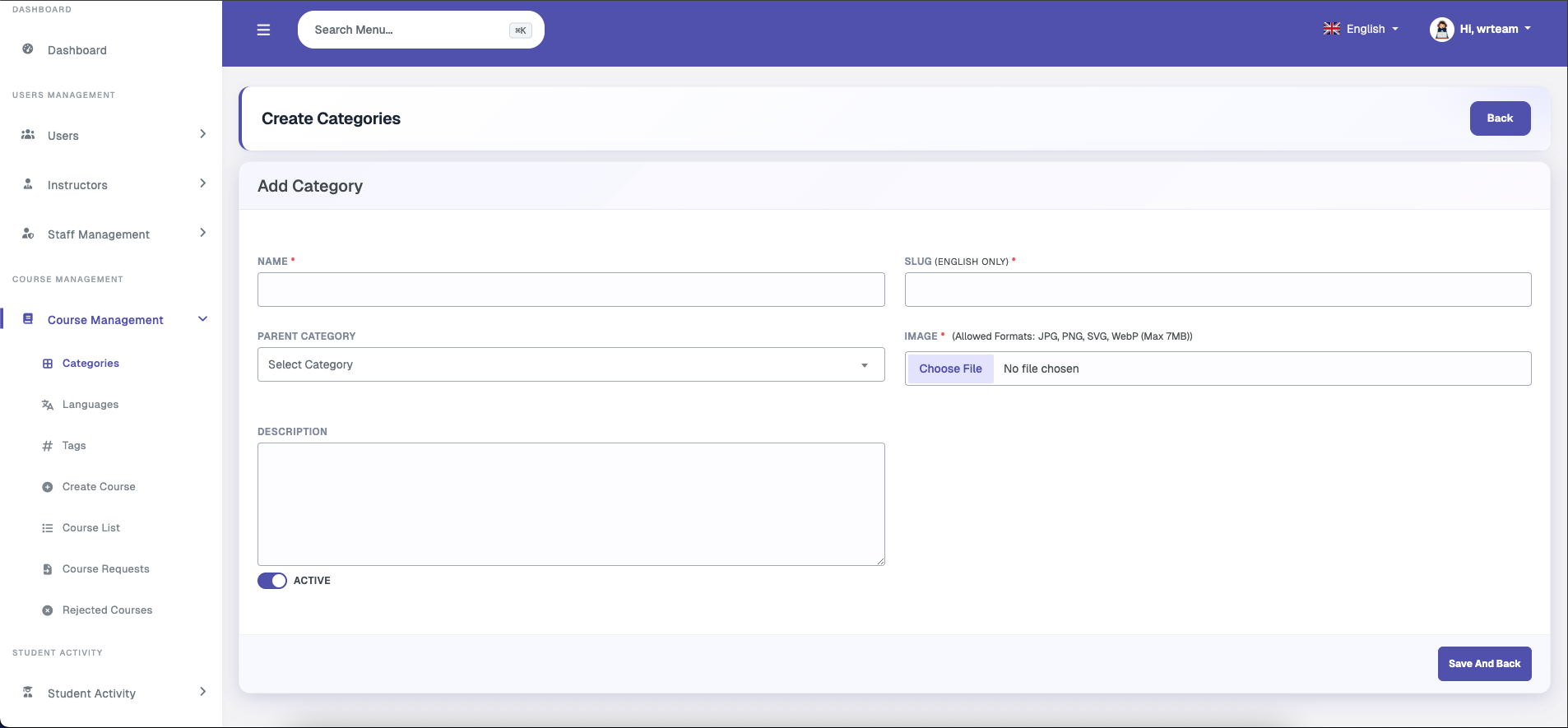
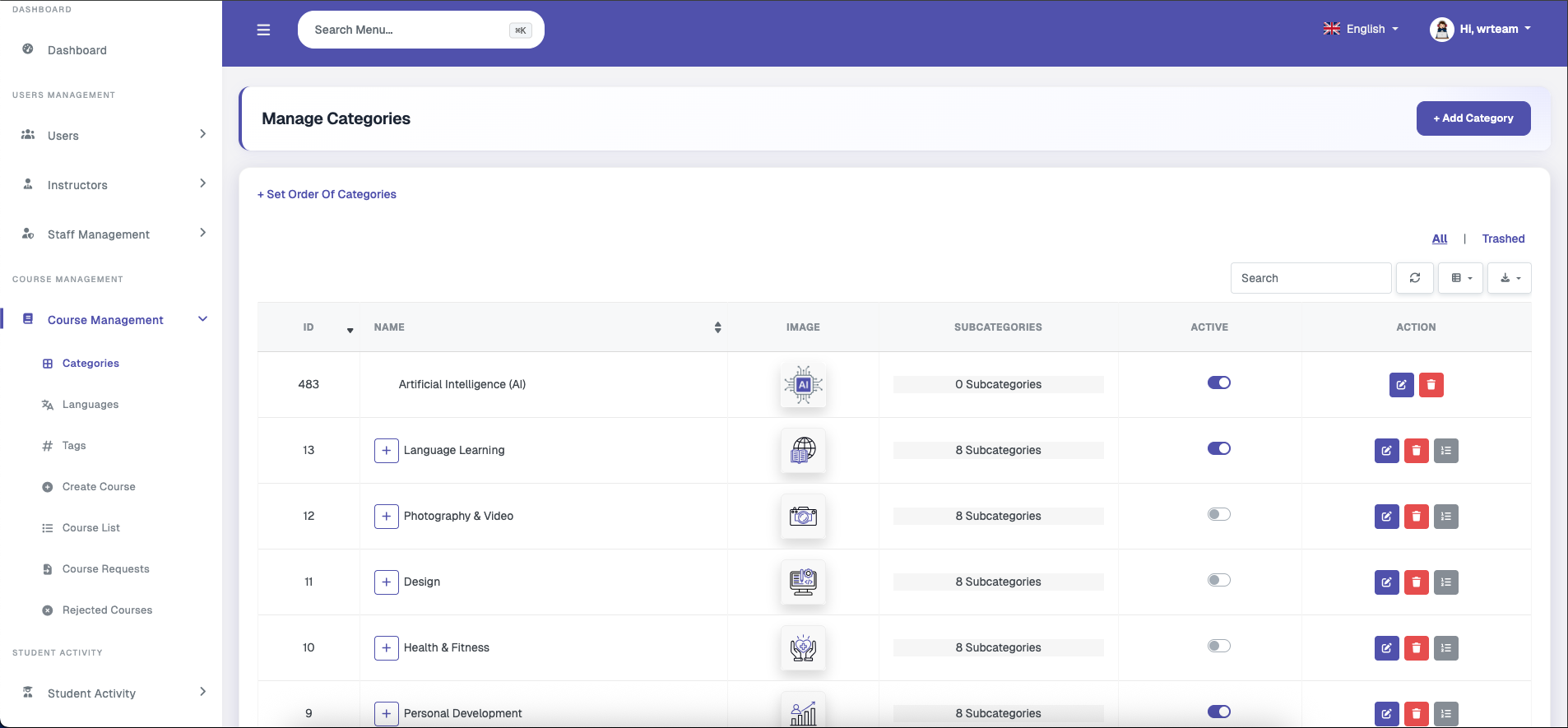
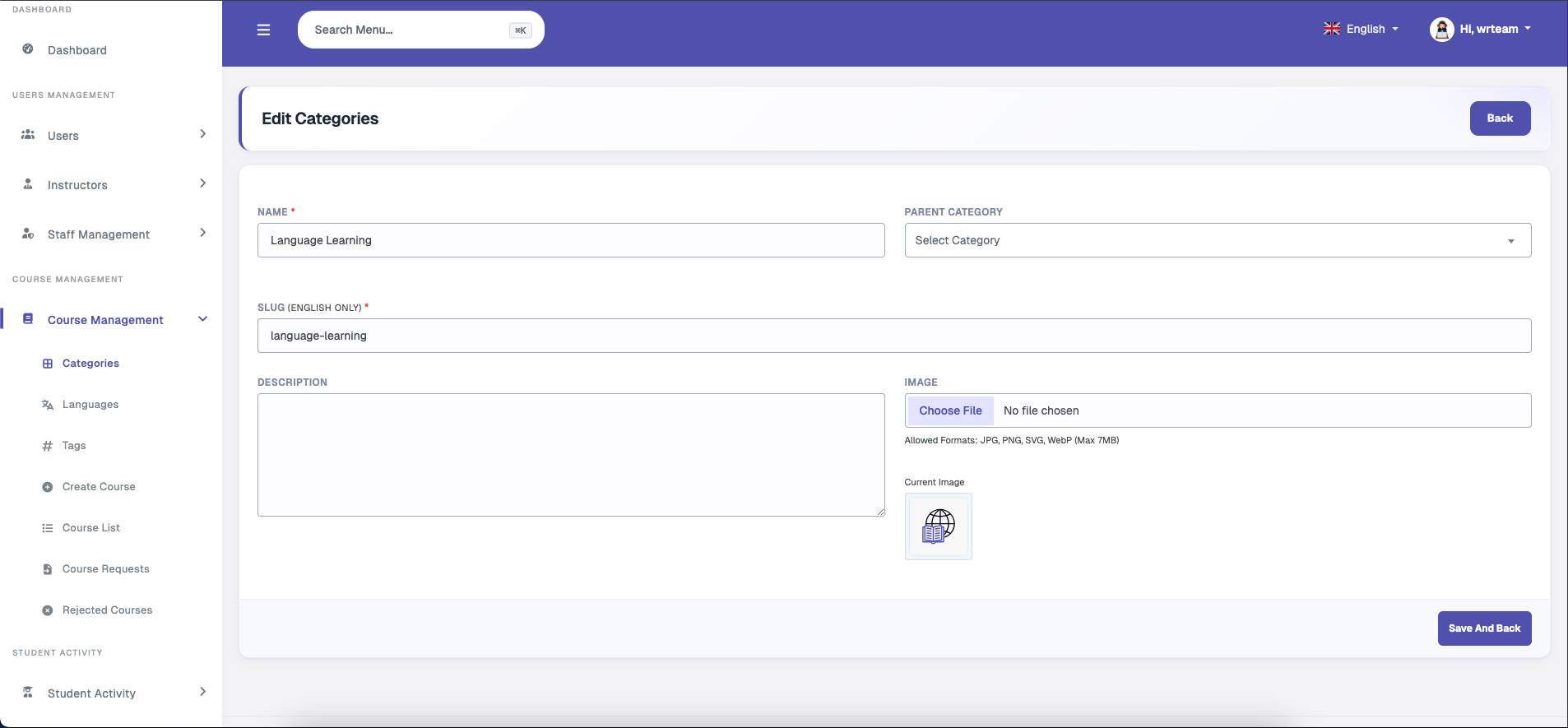
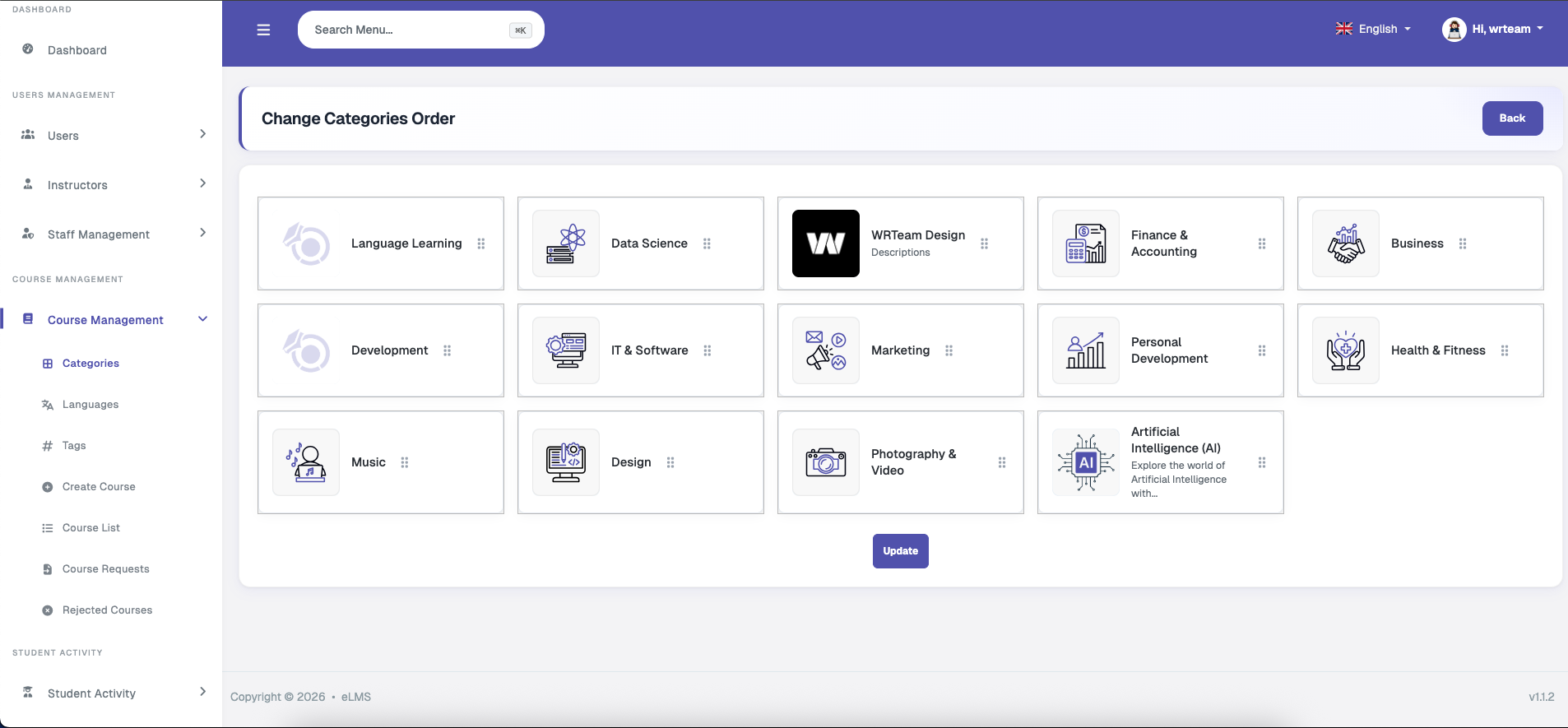
Categories and sub-categories (up to 3 levels deep) can be managed from here. Each category includes a name, slug, description, and image, and can be connected to a parent category. These categories form the foundational structure on top of which courses are added. Sub-category courses do not appear in the parent category's filter, since each category is treated as individual and unique even when nested.
Languages
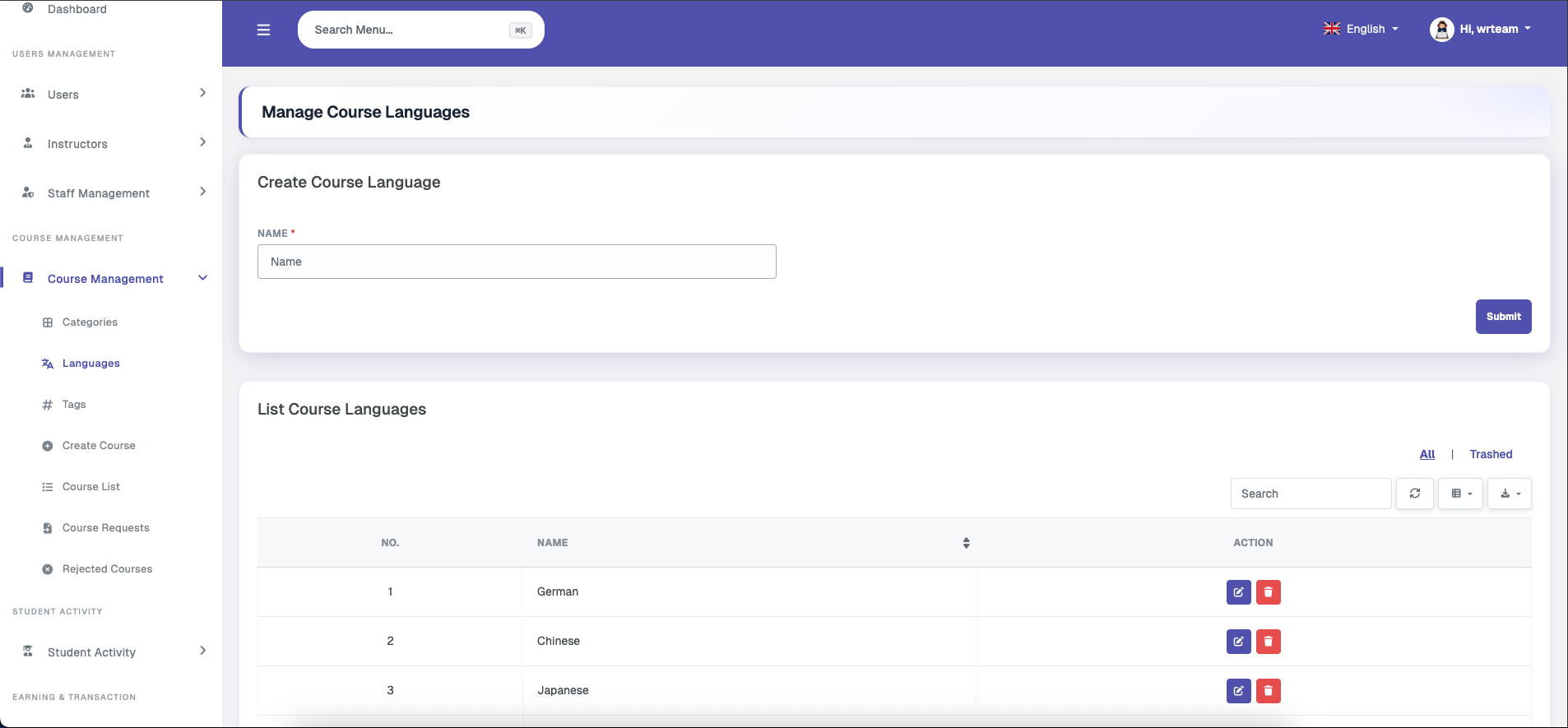
This section allows the admin to manage the list of available languages. Any number of languages can be added with a name, and one language can be associated with each course to indicate the language in which the course is taught.
Tags
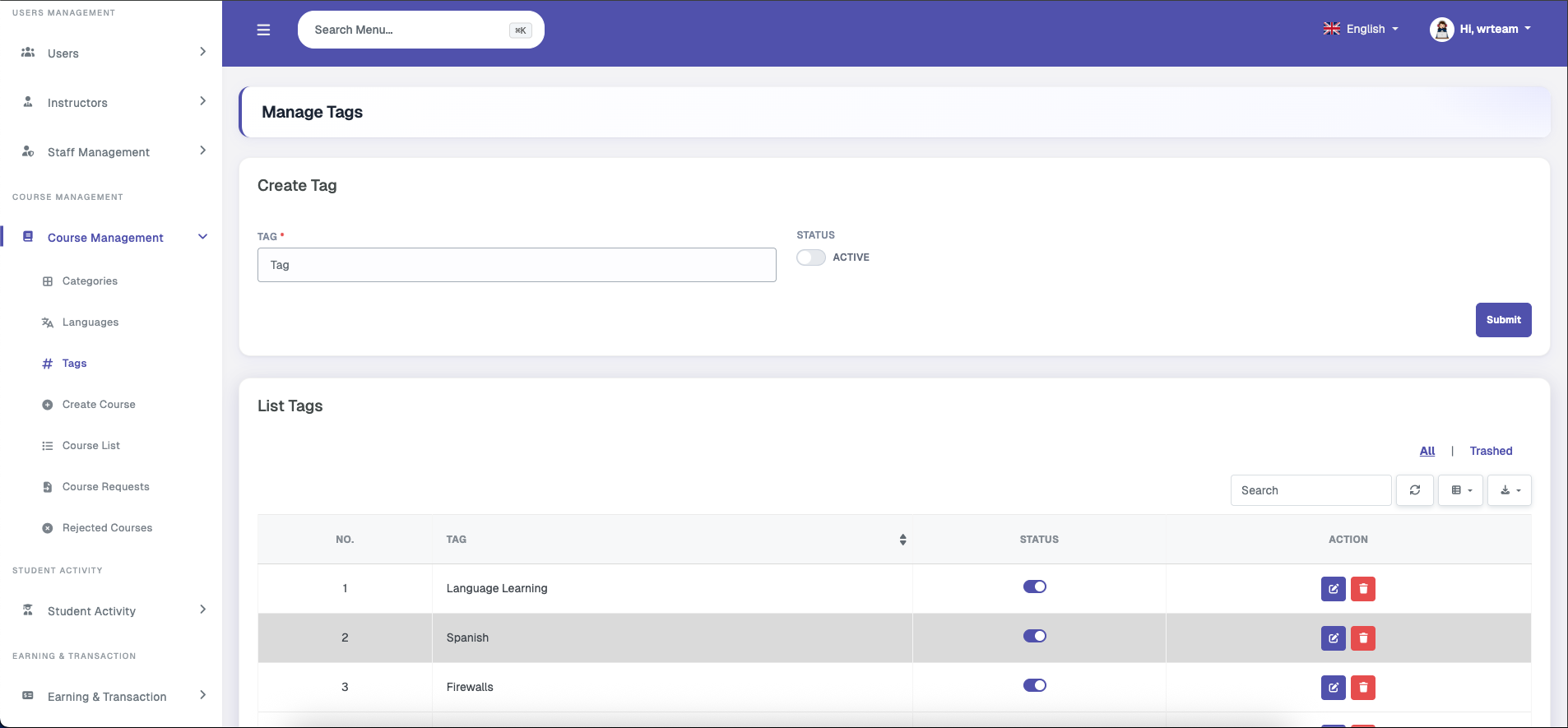
Tags can be created with a name and deactivated if needed; tag names must be unique. Multiple tags can be selected when adding course details, and users can search and filter courses using these tags.
Create Course
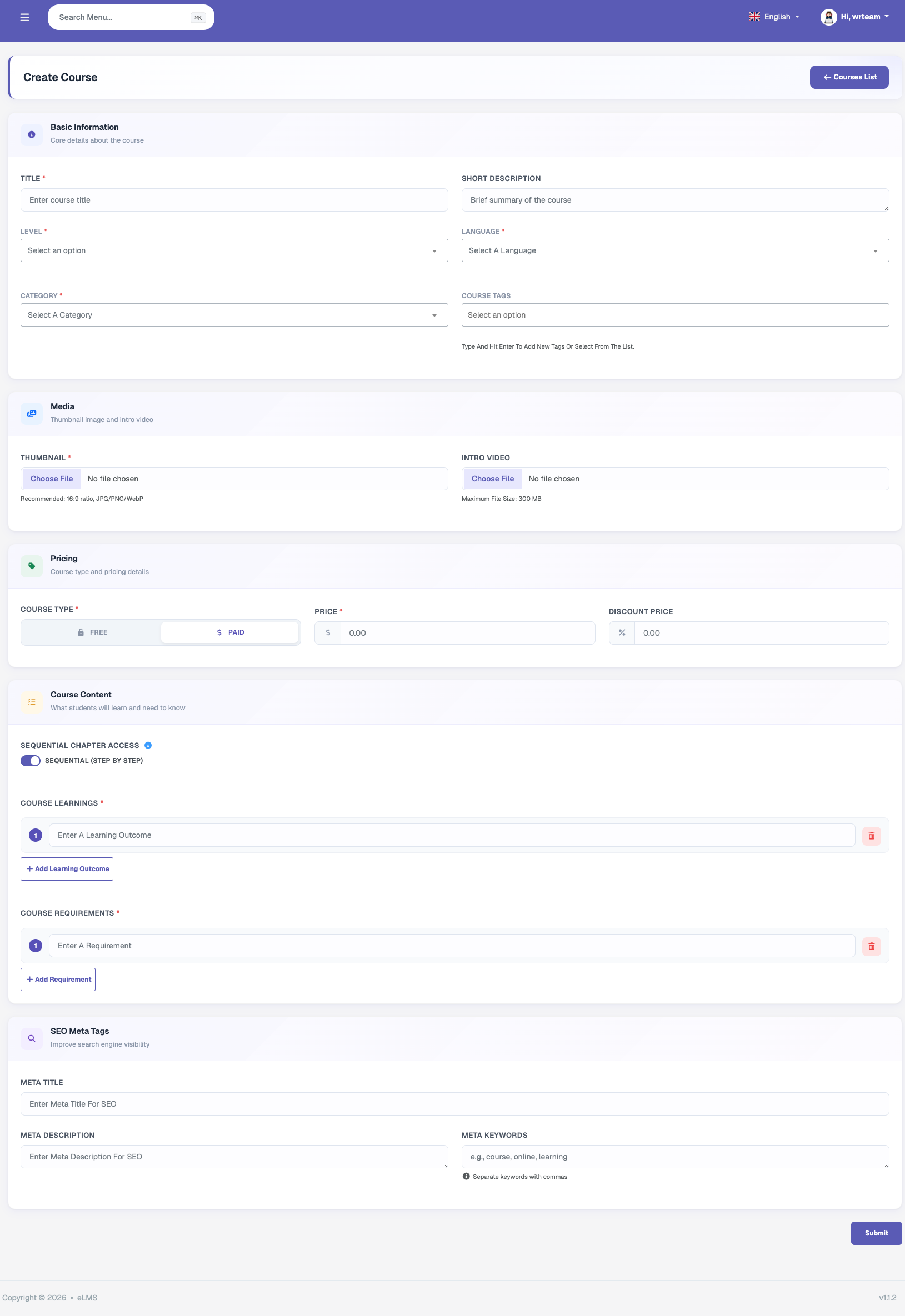
Admins can create their own platform courses from this section by entering all required course details, including: Title, Description, Thumbnail, Intro Video, Level, Payment Type (free or paid), Price, Discount Price, Category, Tags, Language, Learning Outcomes, Requirements, SEO Meta Tags, and Sequential Chapter Access (enabled or disabled — for step-by-step learning or free-form navigation). Once a course is created, its curriculum must be added before it can be published.
Course List
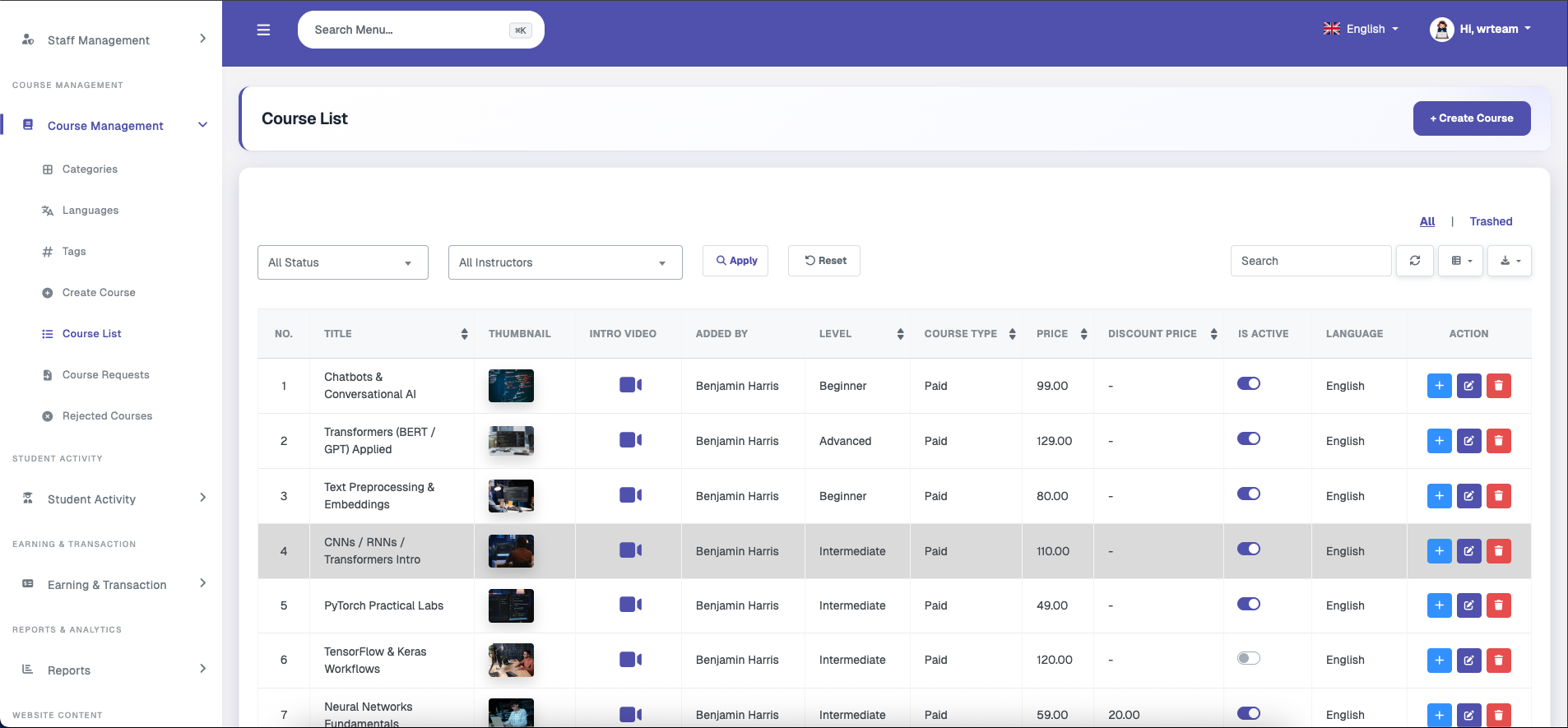
Allows the admin to view all courses with options to filter by status or instructor. Actions include editing or deleting a course. Deletion is a soft-delete, meaning the course can be restored from the trashed courses list or permanently deleted from the trash. A quick action button also provides a shortcut to the Create Course screen.
Course Curriculum
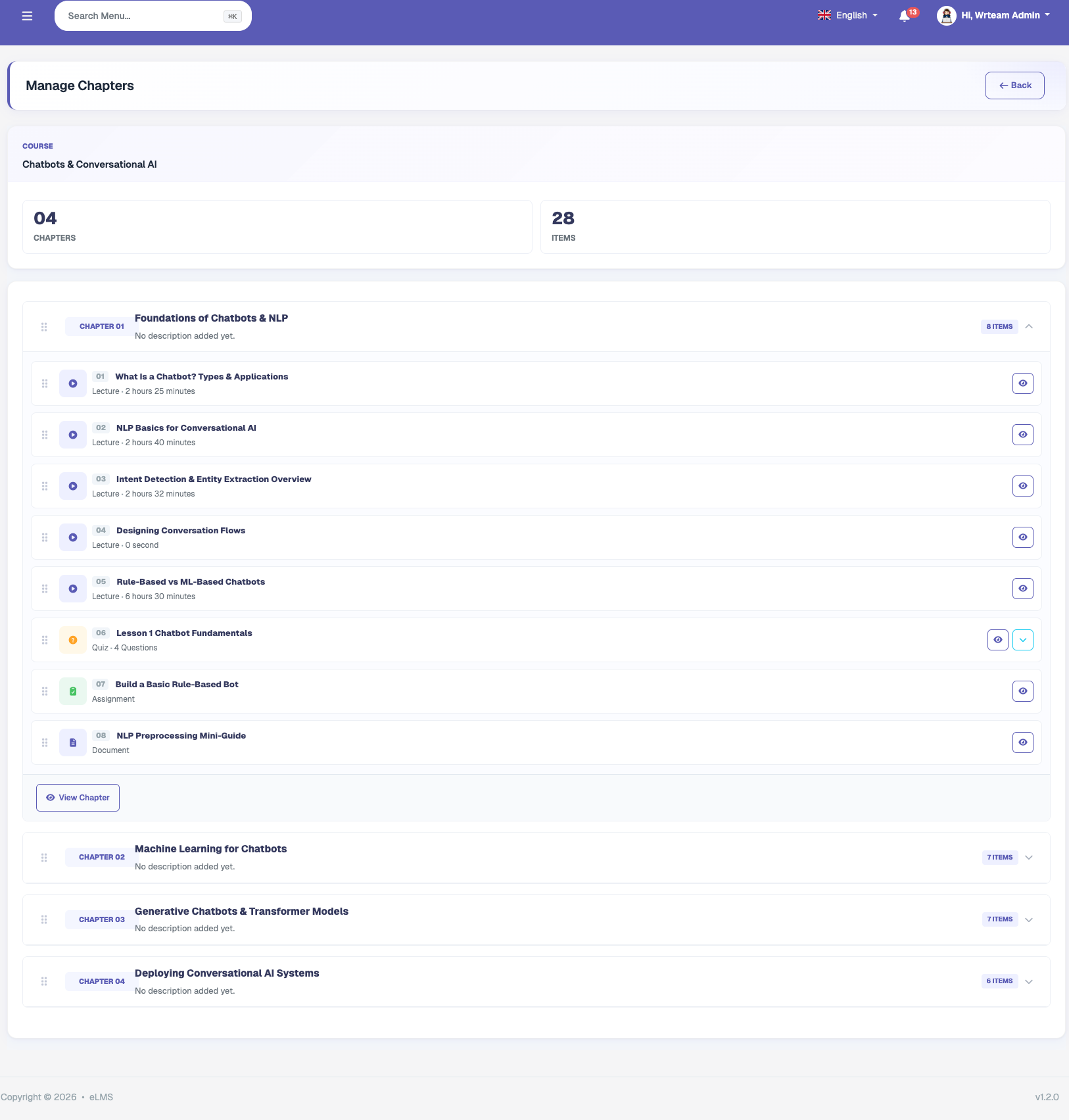
Admin can create curriculum for courses in which they can add Video Lectures, Assignment, Quizzes and Resources.
Video Lecture
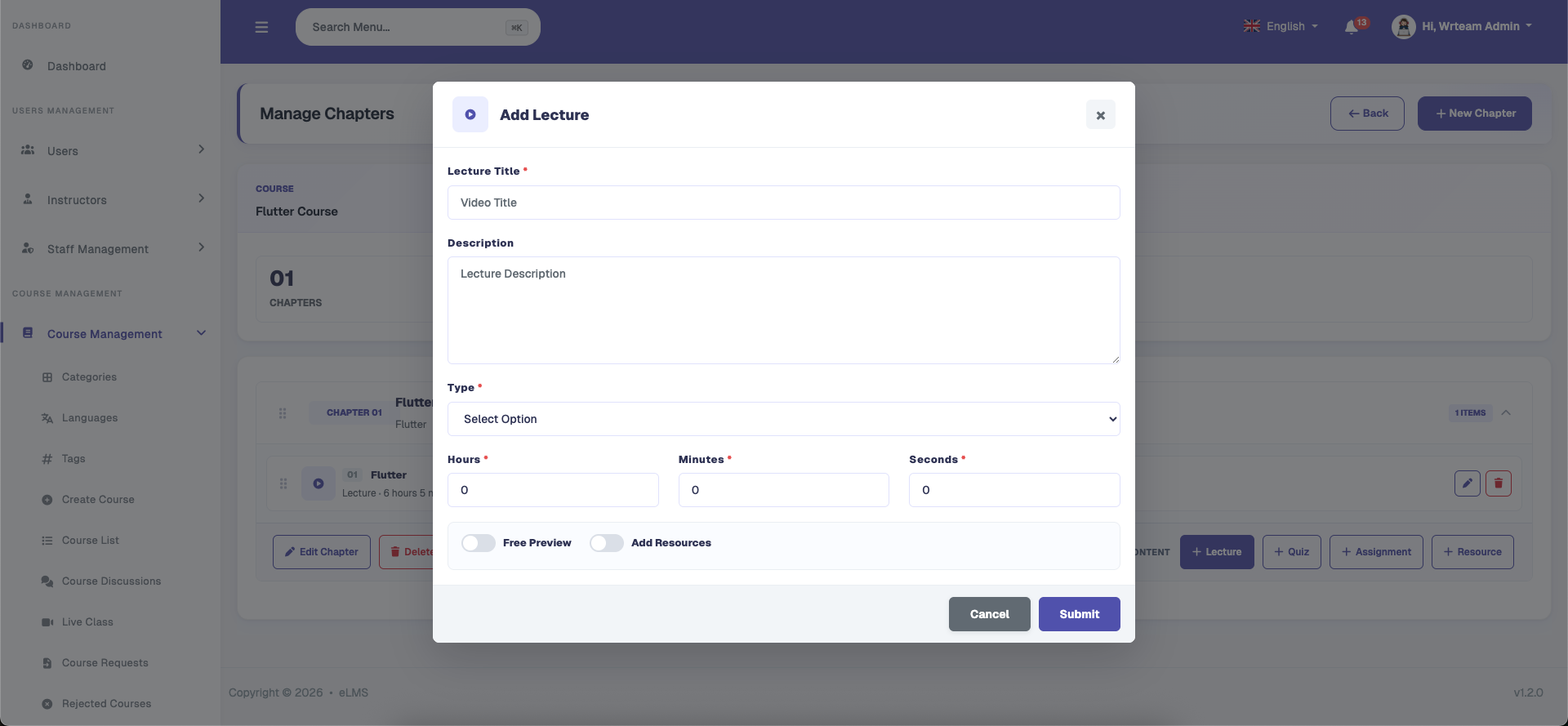
Admins can upload video lectures directly or embed external links from platforms like YouTube or Vimeo. Each lecture can include supplementary downloadable files, title, duration details, and optional preview settings for prospective students.
Assignment
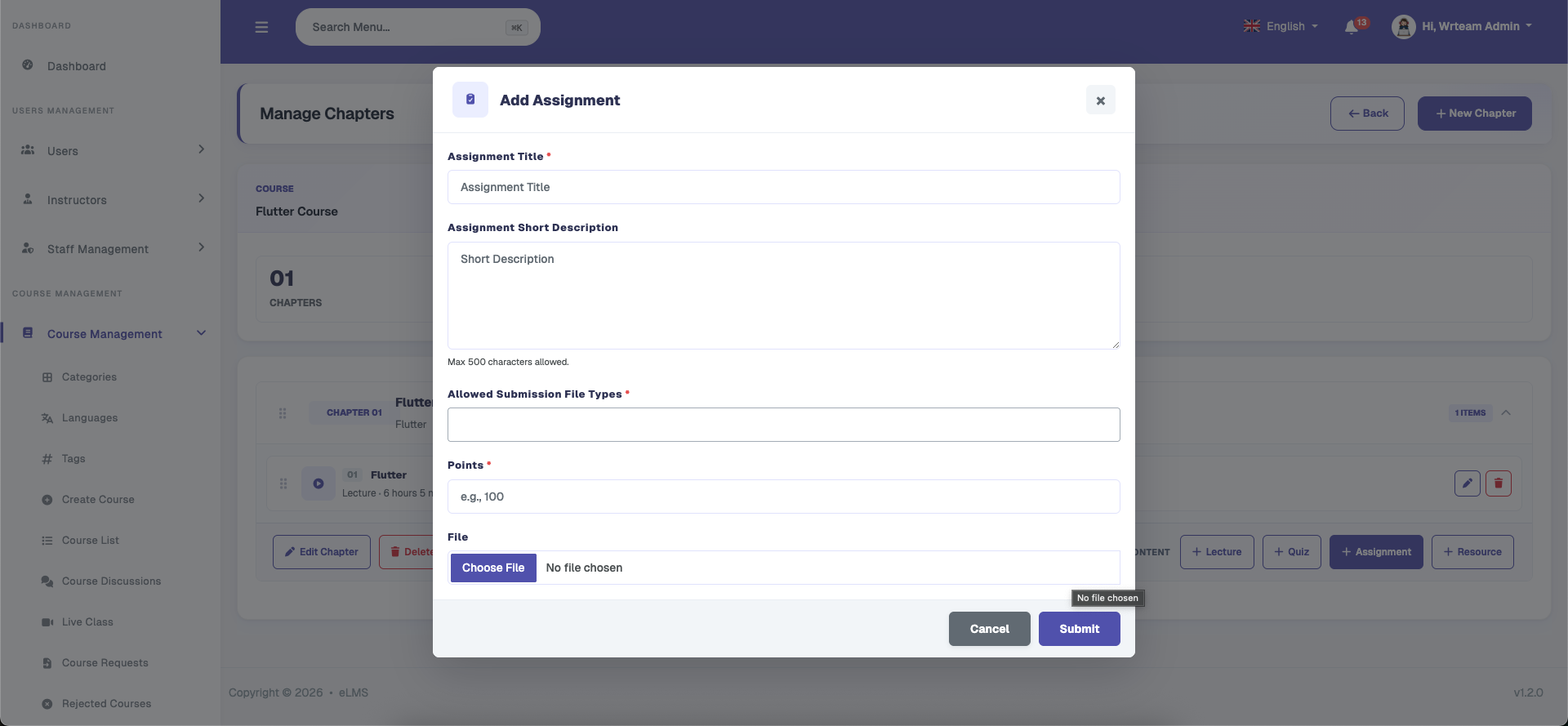
Assignments can be configured with clear instructions, and maximum score limits. Admins can attach supporting documents or video instructions, while enabling text or file upload responses from students for evaluation.
Quiz
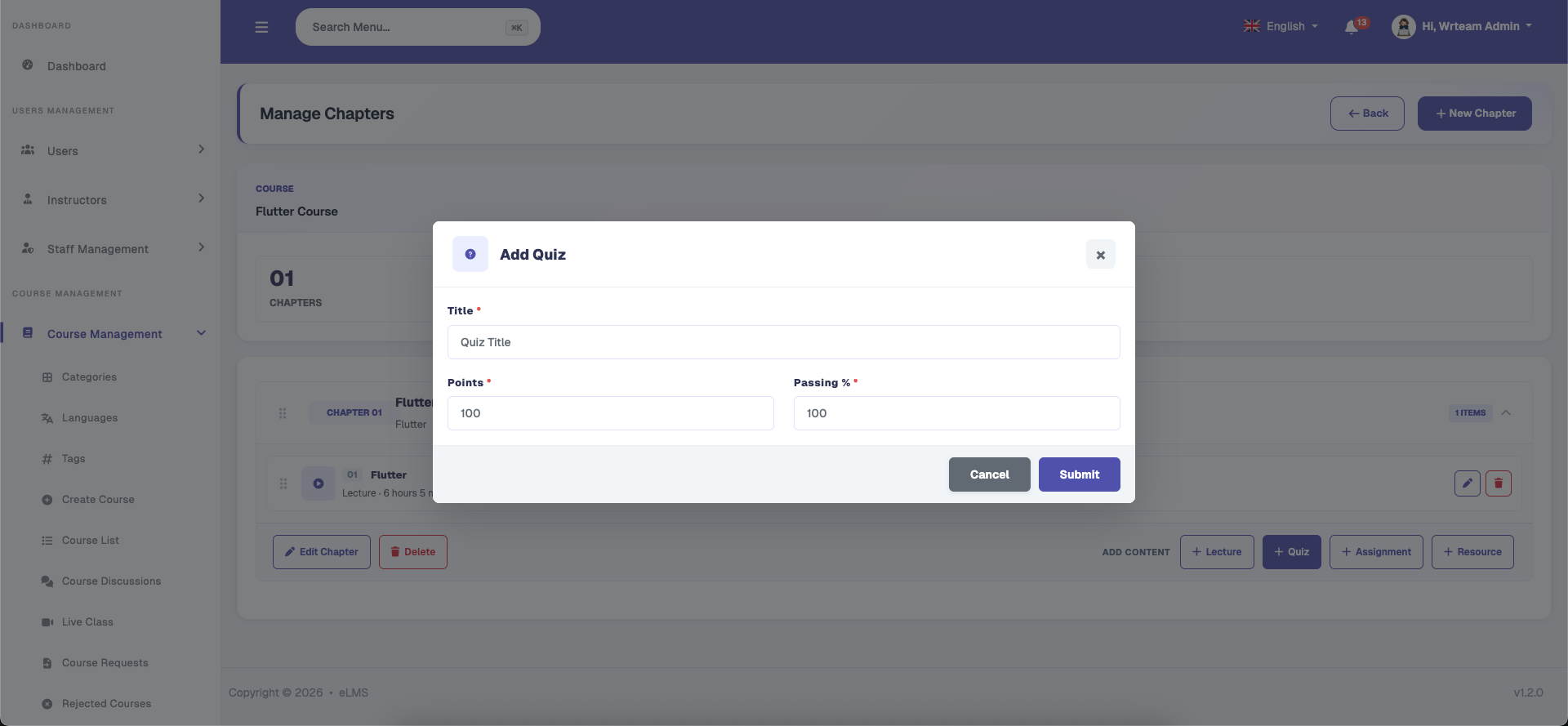
Quizzes allow admins to evaluate student learning progress with time limits, passing scores, and attempt limits. Instructors can structure multi-question quizzes with customizable scoring and automated feedback upon submission.
Add Question
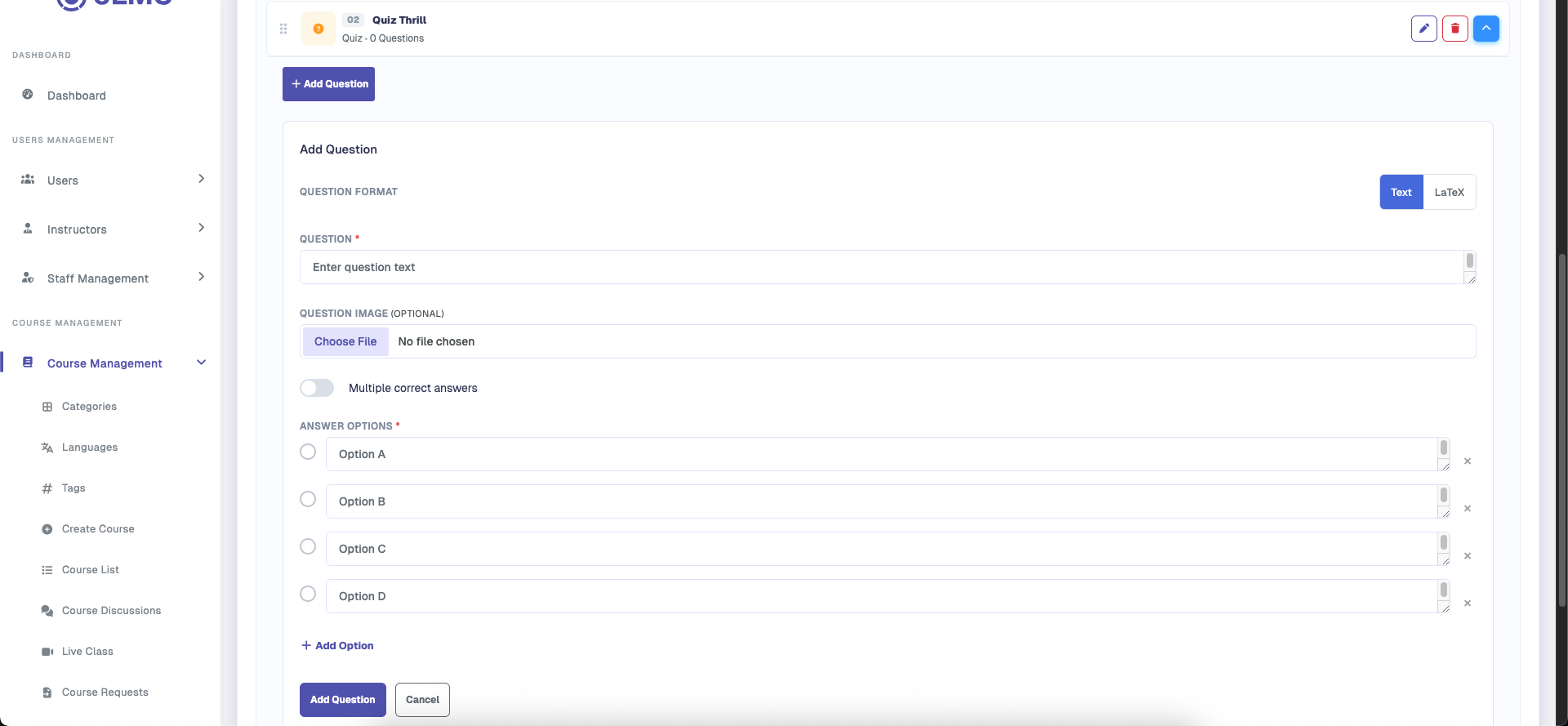
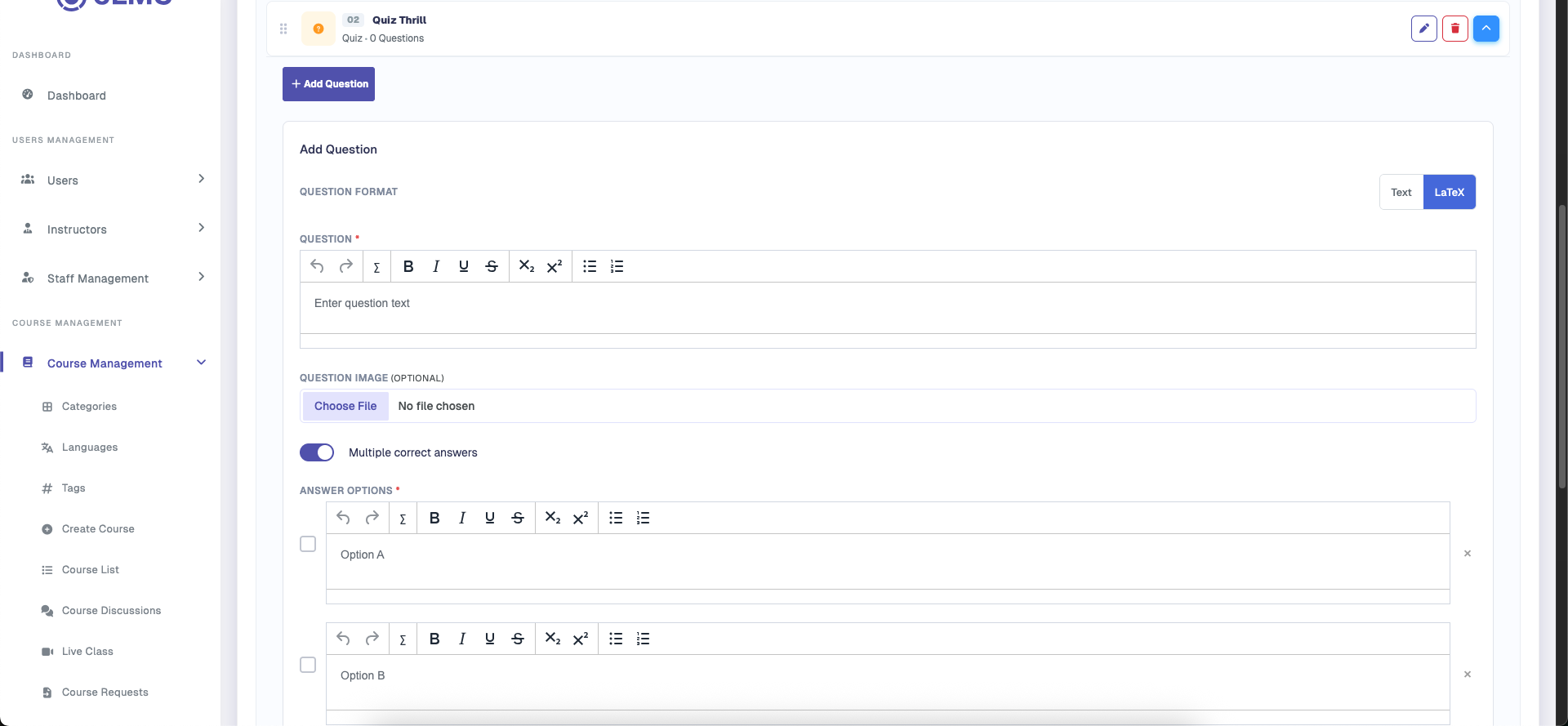
Admins can create custom quiz questions supporting single or multiple correct answers, attached images, and optional explanation notes for learners. Standard text-based questions can be configured alongside advanced mathematical and scientific questions using LaTeX formatting for formulas and equations.
Resources
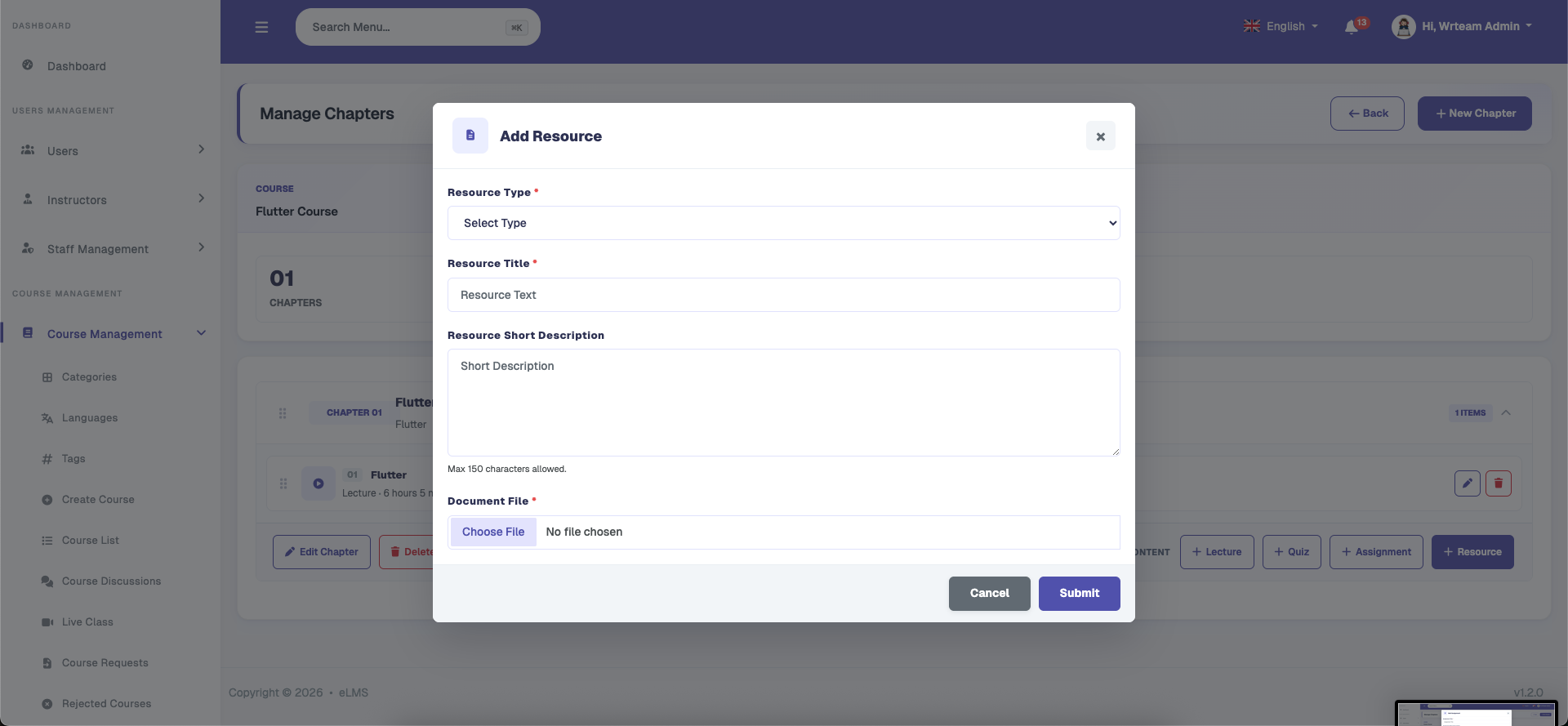
Additional learning materials such as PDF guides, slide decks, external reference links, and code files can be organized under resources. These materials provide students with complementary study assets accessible alongside course chapters.
Course Discussion
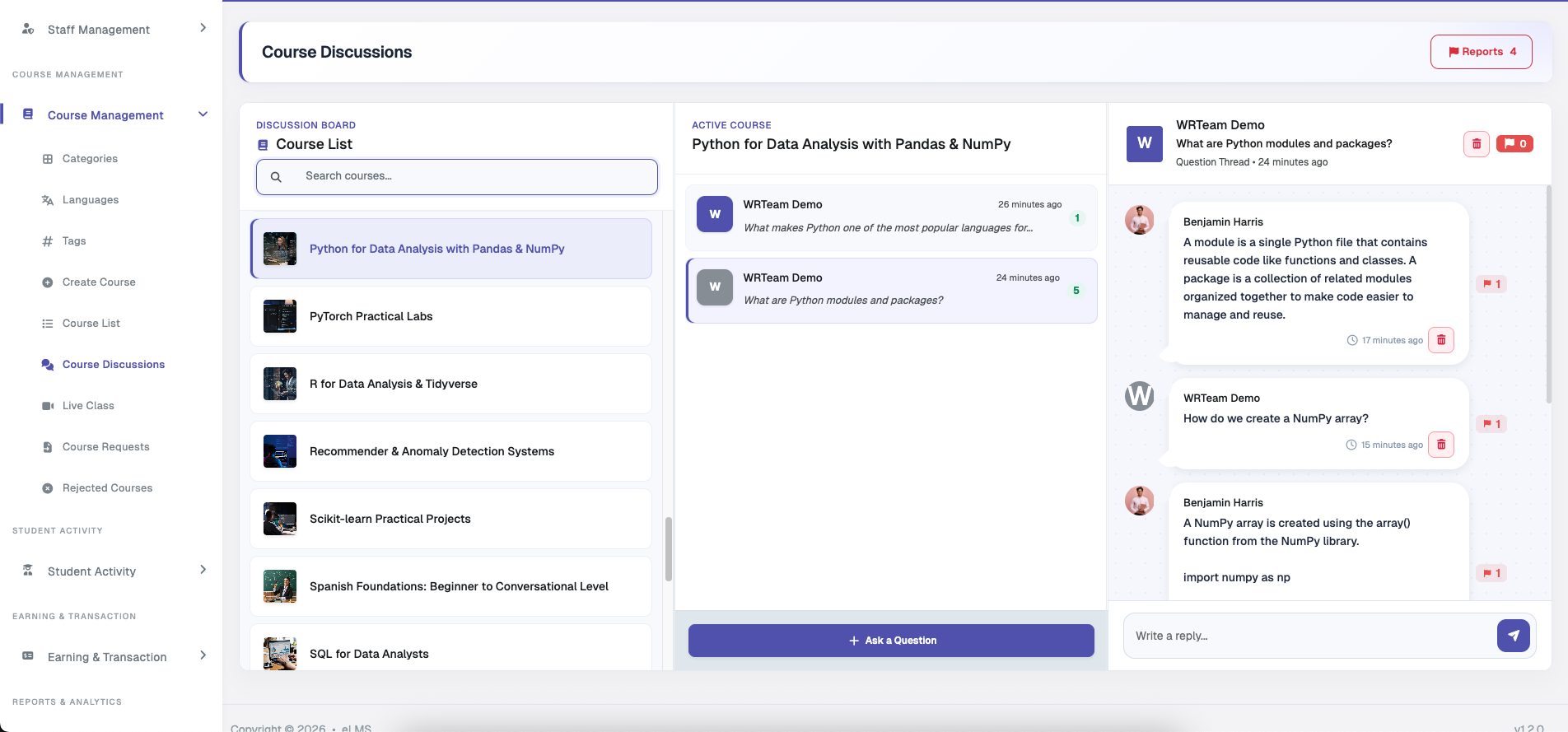
Admin can view all course discussions, add questions and replies, and manage discussion threads. Admin can also easily review and delete reported discussions based on user reports.
Course Discussion Reports
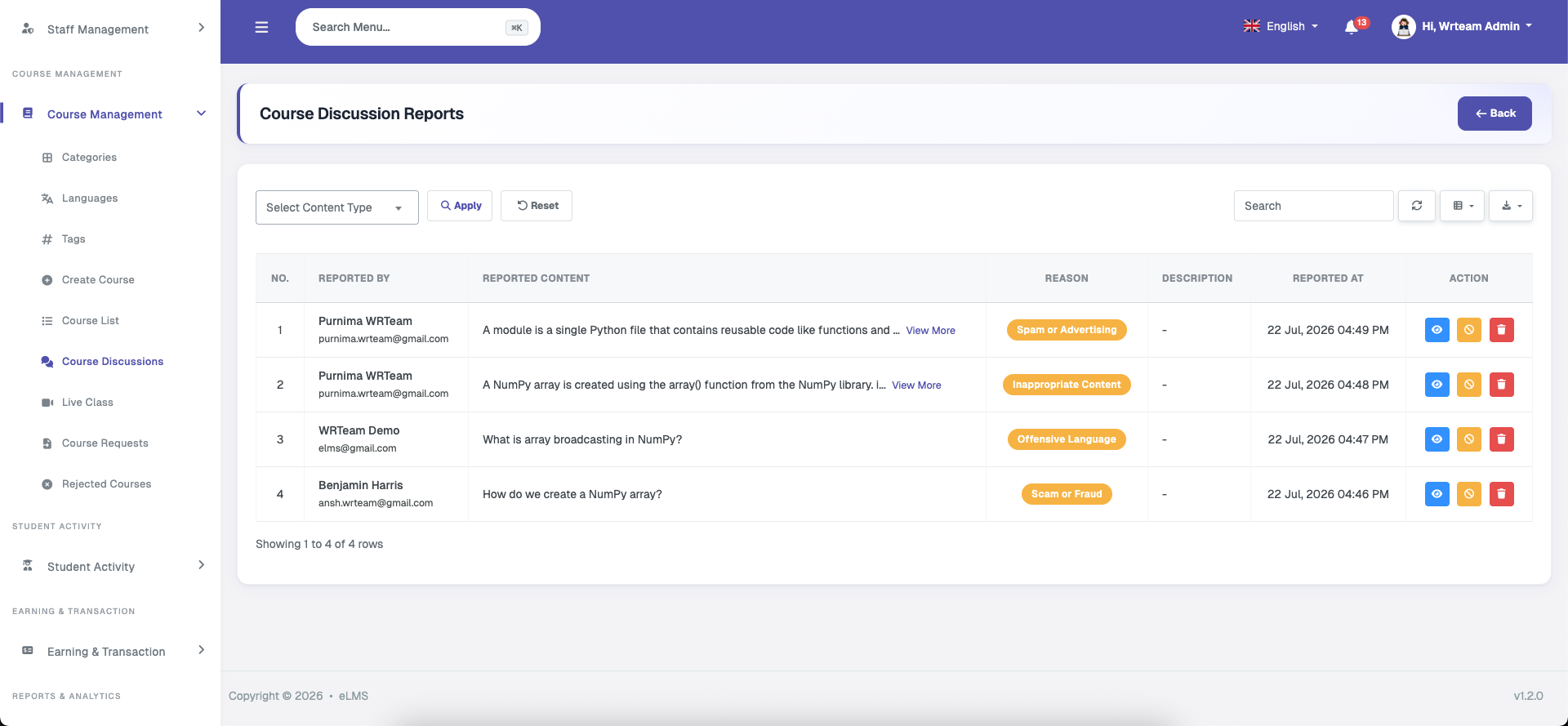
Admin can view and manage reported course discussions from here. Users can report questions, replies, and group posts for various reasons. The admin can review the reported content along with the reason and reporter information, and take appropriate action such as deleting the content or banning the user.
Live Class
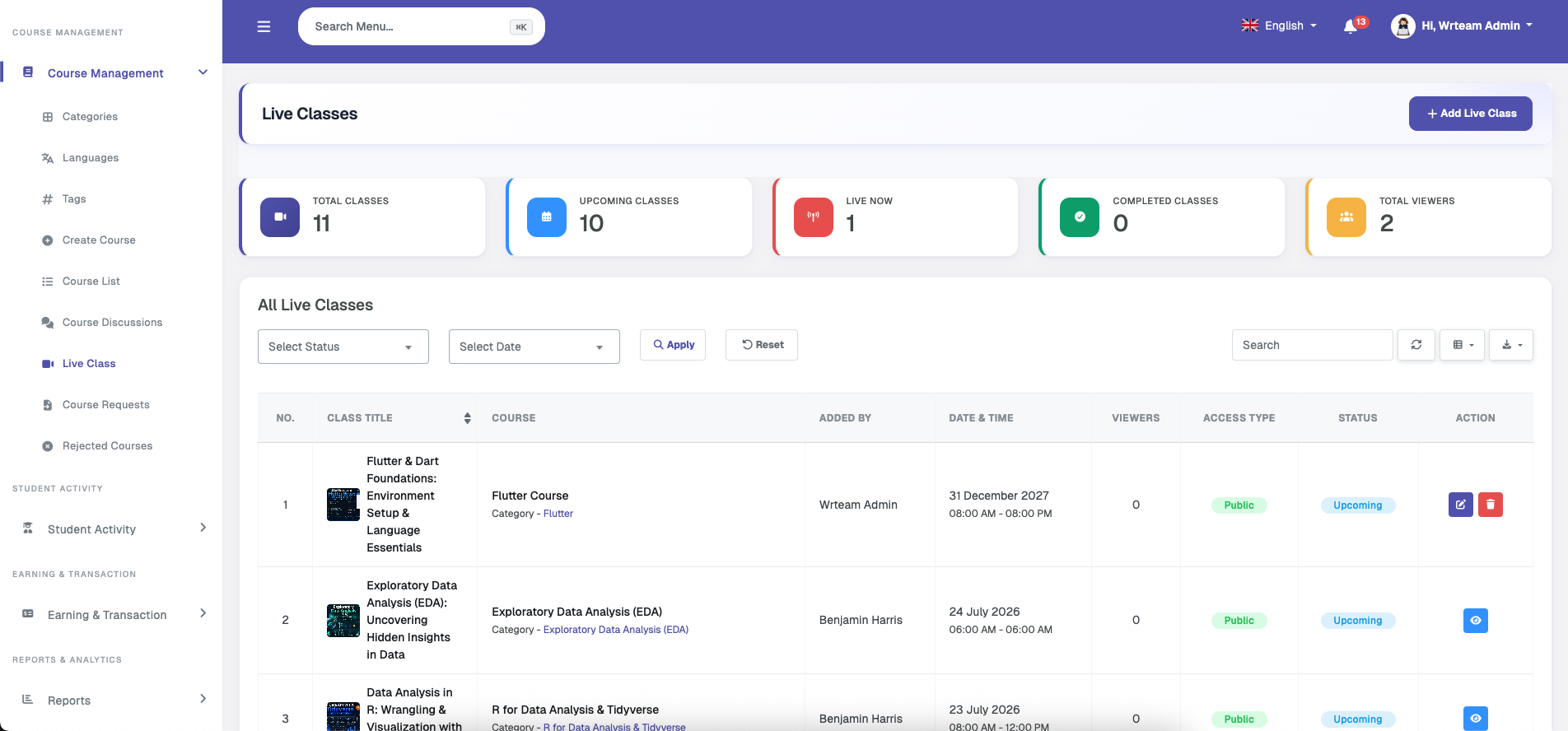
Admin can create live classes for their own courses and view live classes created by instructors, along with detailed statistics and analytics.
Course Chapters
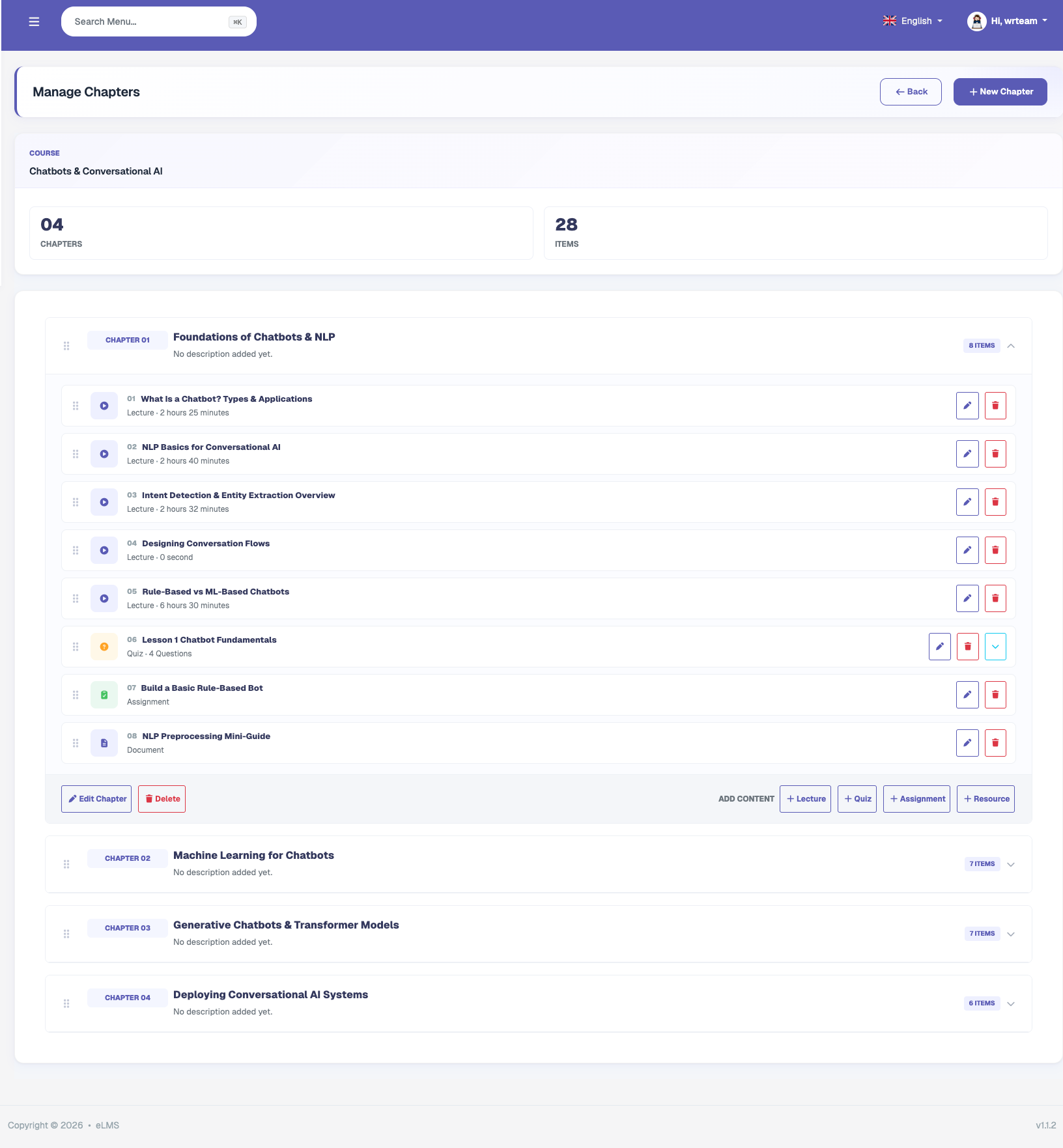
Allows the admin to manage chapters within added courses. A chapter can have a title and description. Within each chapter, lessons can be added in the following types: Lecture (video or file), Resource (files), Quiz (question and answer), and Assignment (to be submitted by students and reviewed by the course owner). Each lesson type can be viewed by learners and progress can be tracked by users and course owners. Each lesson type is described in more detail under the Instructor Features section.
Course Requests
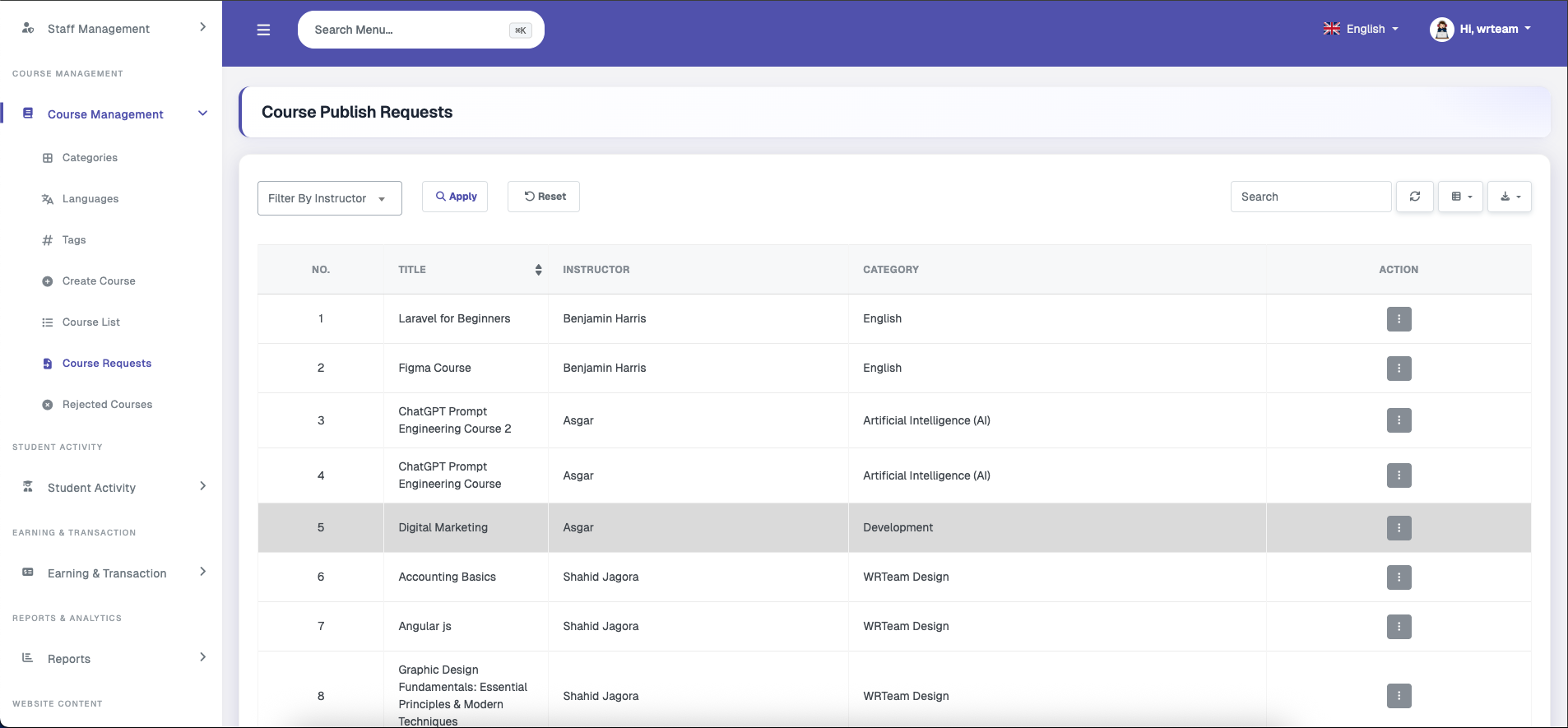
Displays instructor course publishing requests, which the admin can view, approve, or decline.
Rejected Courses
Displays the list of rejected courses with a view details option. These courses can be edited by the respective instructor and resubmitted for approval.